
What Should Happen During a Corporate Event Technical Rehearsal?
A technical rehearsal is more than checking microphones and advancing slides. Learn what should be tested before a corporate event begins and why presenter participation matters.
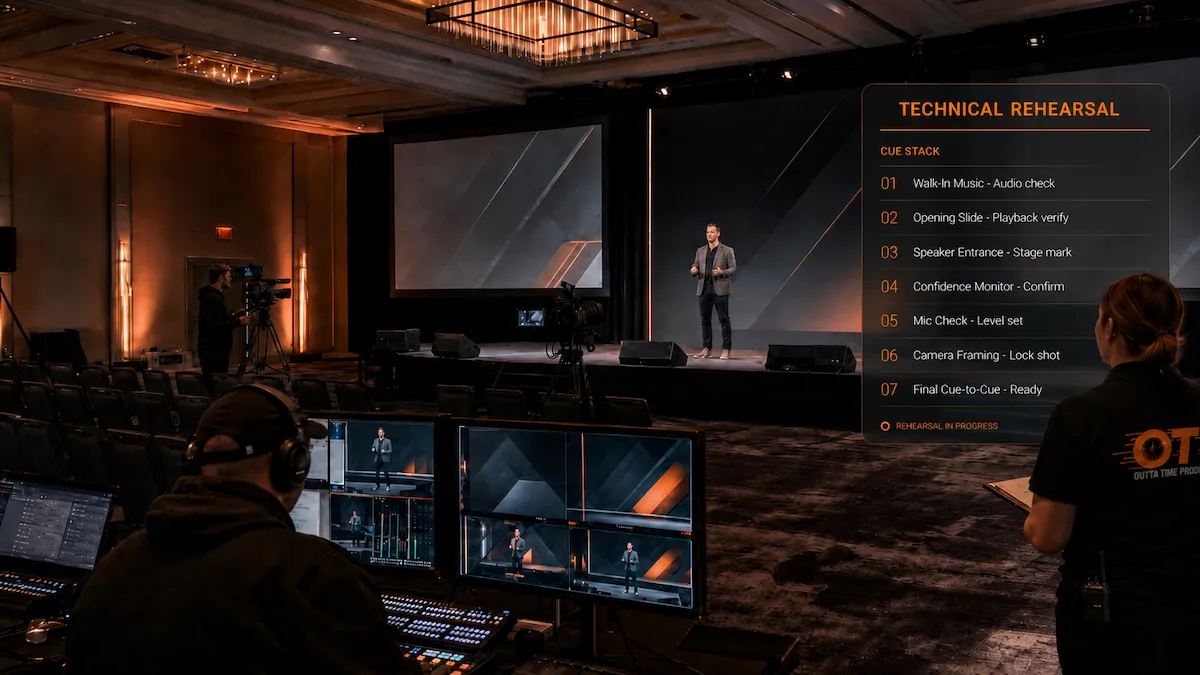
The ballroom is built.
The microphones are working. The presentation is loaded. The cameras are in position. The lighting looks good.
So the event is ready, right?
Not necessarily.
A technical rehearsal is where the production stops being a collection of individual systems and starts becoming one coordinated show.
It gives presenters, planners, and the production team an opportunity to walk through the moments that matter before an audience is watching.
That may include entrances, presentation changes, videos, microphone handoffs, remote speakers, panel transitions, camera shots, lighting cues, audience Q&A, and the opening and closing of the program.
The goal is not to rehearse every sentence.
The goal is to make sure the people, content, room, and technical systems work together.
At Outta Time Productions, we treat rehearsal as part of preparation, not an optional extra added only to large events. The amount of rehearsal should match the complexity of the program, but important technical moments should be tested before show time.
A Technical Check and a Rehearsal Are Not the Same Thing
These terms are sometimes used interchangeably, but they serve different purposes.
A technical check confirms that individual systems work.
For example:
- microphones produce clean audio
- presentation files open correctly
- videos play with sound
- cameras have usable shots
- confidence monitors receive the right feed
- lighting fixtures respond correctly
- remote connections are stable
- recordings are receiving audio and video
A technical rehearsal goes further.
It tests how those systems work when the actual program begins moving.
Instead of asking:
“Does the microphone work?”
The rehearsal asks:
“Does the correct microphone reach the presenter at the right moment, and does the audio team know when that person begins speaking?”
Instead of:
“Does the video play?”
The rehearsal asks:
“What happens immediately before the video, who cues it, what does the presenter do while it is playing, and what appears on the screens when it ends?”
That difference matters.
Equipment can work perfectly on its own and still create an awkward show if the transitions between people and systems have not been planned.
The Actual Presenters Should Participate Whenever Possible
A crew-only walkthrough can confirm many technical details.
It cannot fully replace rehearsing with the people who will actually be presenting.
Presenters may move differently than expected.
One executive may prefer a handheld microphone while another is more comfortable with a lavalier.
A presenter may naturally stand somewhere that creates a poor camera angle.
Someone may advance their slides quickly.
Another presenter may pause before a video and expect the production team to understand that the pause is the cue.
These details are difficult to discover without the actual speaker.
Presenter participation also gives the production team a chance to explain:
- where to enter
- where to stand
- which microphone to use
- how slides will advance
- where confidence monitors are located
- what happens during videos
- how remote participants will appear
- where to look for cameras
- how audience questions will be handled
- who to ask if something changes
The rehearsal should make presenters more comfortable, not make them feel like they are being trained to perform.
For more on this, see How to Keep Presenters Comfortable Before They Walk Onstage.
Start With the Opening
The opening deserves special attention because it establishes the rhythm of the entire event.
The production team should know exactly what happens before the first person speaks.
That may include:
- house music
- a countdown
- opening graphics
- a walk-in video
- lighting changes
- an announcer
- a microphone opening
- a camera shot
- a presenter walk-on
- the first presentation slide
The rehearsal should answer practical questions.
Who gives the final go?
Does the presenter walk out before or after the music changes?
Does the video end directly on the first presentation slide?
Should the room lights change before the presenter enters?
Which camera has the first shot?
If a remote audience is watching, what do they see before the program begins?
A strong opening does not require elaborate production.
It requires everyone to know what happens first.
Test Every Presentation Source
Corporate events rarely rely on only one presentation file.
The production system may receive content from:
- PowerPoint
- Keynote
- PDF files
- video playback systems
- remote presenters
- web browsers
- demonstration laptops
- virtual meeting platforms
- graphics systems
- multiple presenter computers
Each source should be tested through the actual display system.
That includes confirming:
- correct resolution
- correct aspect ratio
- embedded video playback
- audio playback
- fonts
- animations
- transitions
- hyperlinks
- presenter view
- confidence monitors
- backup copies
If several presenters are bringing separate files, the rehearsal is also a good time to confirm how those files will be organized and switched.
A presentation that looks correct on a laptop may behave differently once it is routed through the production system and displayed across a large screen or LED canvas.
Confirm Who Controls the Slides
This sounds simple until the event starts.
Will the presenter advance the slides?
Will a technician advance them?
Will someone backstage control them?
Will a remote presenter share their own screen?
Will certain presenters use a confidence monitor showing the next slide?
There is no single correct method.
The important part is that everyone understands the method being used.
If the technician is advancing slides, the presenter should know how to communicate the cue.
Some presenters say “next.”
Others prefer to speak naturally while the technician follows the content.
Executives may want a remote clicker so they remain in control.
The rehearsal is the place to determine what feels most natural while still giving the production team a reliable workflow.
Run the Videos From Beginning to End
Do not test a video by playing the first five seconds and assuming the rest will work.
Important playback content should be reviewed through the production system.
Confirm:
- the correct file plays
- audio is present
- audio levels are appropriate
- the video fills the intended screen area
- playback begins cleanly
- the video ends where expected
- the correct content follows it
- presenters know when to stop and resume speaking
If the video contains captions, confirm they are visible.
If the video contains audio that is critical to understanding the content, make sure it reaches both the room and any remote audience.
If a video is embedded inside PowerPoint, test the embedded version rather than assuming it will behave the same way it did on the presenter’s computer.
Check Every Microphone in the Way It Will Actually Be Used
A microphone check should include more than speaking into each microphone at the production table.
Test microphones from the actual presenter positions.
That may include:
- podium
- stage center
- panel table
- audience seating
- backstage
- remote contributors
For wireless lavalier microphones, confirm placement on the presenter.
Clothing, jewelry, hair, and how the speaker moves can all affect microphone placement.
For handheld microphones, confirm who is responsible for getting them to presenters.
For panels, test how microphones behave when several people are sitting close together.
For audience Q&A, walk a microphone through the room and make sure the production team can hear it clearly.
This is also the time to establish backup microphone procedures.
If a primary microphone fails, the team should know which microphone replaces it and how that replacement reaches the presenter.
Rehearse Speaker Transitions
Many production problems do not happen during presentations.
They happen between them.
One presenter finishes.
The next speaker walks on.
A panel needs to be seated.
A microphone has to change.
A presentation needs to switch.
A video may play during the transition.
The moderator may need to fill ten seconds while the production team resets.
Those moments should be considered during rehearsal.
Ask:
- Who introduces the next presenter?
- Where is that presenter waiting?
- When do they receive their microphone?
- Which presentation should already be loaded?
- What appears on the screens during the transition?
- Does music play?
- Does lighting change?
- Does the camera follow the outgoing or incoming presenter?
- Is furniture being moved?
A smooth transition often lasts only a few seconds.
Those seconds feel much longer when nobody is sure what happens next.
Test Confidence Monitors With the Presenters
Confidence monitors should be tested with the people who will use them.
Depending on the program, they may display:
- current slide
- next slide
- presenter notes
- timer
- remote participants
- program video
- teleprompter content
Make sure the presenter can comfortably see the monitor from their expected position.
A confidence monitor that is technically working but positioned too low, too far away, or at an awkward angle is not solving the problem.
If different presenters need different information, make sure those changes are part of the cueing plan.
Rehearse Remote Presenters Early
Remote presenters add another layer because part of the program exists outside the venue.
A remote technical check should confirm:
- internet connection
- camera
- microphone
- lighting
- framing
- background
- presentation sharing
- return audio
- return video
- remote confidence
- platform access
The production team should also establish how the remote presenter enters the program.
Will they remain connected backstage?
Will they join only shortly before their session?
Can they hear the room before they are live?
Who tells them they are about to begin?
What happens if they disconnect?
If the remote presenter is important to the program, the backup plan should be discussed during rehearsal.
For hybrid programs, this should be coordinated with the broader hybrid event production workflow.
Check Cameras With Real Presenter Positions
Camera framing should not be finalized based only on an empty stage.
The actual presenters may be different heights, move differently, use different stage positions, or interact with the screen in unexpected ways.
During rehearsal, confirm:
- podium framing
- standing presentation shots
- panel shots
- wide shots
- audience Q&A
- screen composition
- walk-on positions
- remote presenter layouts
If the event uses IMAG, the presenter should also understand that their movement may affect what the audience sees on the screens.
The goal is not to make presenters stand on a mark all day.
It is to make sure the camera plan supports the way they naturally present.
Confirm Lighting for People, Not Just the Stage
A stage can look attractive while still lighting presenters poorly.
The rehearsal should confirm how actual faces look from:
- audience seating
- cameras
- livestream feeds
- recording positions
Presenters should be clearly visible without being uncomfortable.
If someone moves away from the podium, make sure the lighting still supports them.
If the program includes a seated panel, check the entire panel.
If a confidence monitor or large LED wall is bright behind the presenter, the lighting and camera exposure may need adjustment.
Technical rehearsal gives the lighting and camera teams a chance to balance the room before the audience arrives.
Practice Panel Changes
Panels involve several systems at the same time.
There may be:
- multiple microphones
- several chairs
- confidence monitors
- water
- name graphics
- cameras
- presentation content
- a moderator
- remote panelists
The rehearsal should confirm how the panel begins and ends.
Does everyone walk on together?
Are panelists already seated?
Who introduces them?
How are microphones handled?
Where does the moderator sit?
Will questions come from the audience?
Does the next session begin immediately afterward?
If the room needs to be reset between a keynote and a panel, practice the reset.
The audience does not need to see the production team discovering where the furniture goes.
Walk Through Audience Q&A
Audience questions can change the rhythm of a meeting quickly.
A rehearsal should confirm:
- when Q&A begins
- who moderates it
- how questions are recognized
- where microphones come from
- whether questions can be submitted digitally
- how remote questions are included
- when Q&A ends
The audio team needs to know which microphone will be used.
The camera team needs to know whether audience members will be shown on screen.
The presenter needs to know whether they remain onstage or move closer to the audience.
If the event is recorded or streamed, audience questions must also reach those systems clearly.
Test Any Live Demonstrations
Product demonstrations deserve special attention because they may involve equipment that is not part of the normal production system.
That could include:
- software demonstrations
- websites
- mobile devices
- specialized computers
- prototypes
- external hardware
- product interfaces
Test the exact demonstration path that will be used during the event.
Confirm:
- video output
- resolution
- audio
- internet access
- user login
- screen orientation
- camera coverage
- backup content
If the demonstration depends on an external website or cloud service, consider what happens if the connection is unavailable.
A prerecorded backup demonstration may be appropriate for important moments.
Rehearse the Moments With the Highest Consequence
Not every second of a corporate event needs to be rehearsed.
When time is limited, focus on the moments where several systems intersect or where a failure would be especially disruptive.
Those may include:
- opening
- executive walk-on
- major video playback
- CEO presentation
- product reveal
- remote keynote
- panel transition
- awards sequence
- live demonstration
- closing
A cue-to-cue rehearsal can be useful when there is not enough time to run the complete program.
Instead of rehearsing every presentation from beginning to end, the team moves directly between important cues and transitions.
The purpose is efficiency without skipping the moments that need coordination.
Rehearse the Backup Plan Too
A backup plan is only useful if the production team knows how to use it.
If the primary presentation computer fails, how does the backup take over?
If a microphone stops working, who brings the replacement?
If the remote presenter disconnects, what does the moderator do?
If a video cannot play, what appears on the screen?
If the internet connection is interrupted during a hybrid session, what happens to the in-room program?
The rehearsal does not need to simulate every possible failure.
The crew should understand the most important recovery paths.
For more on this, see Why Backup Plans Are Part of Professional Event Production.
Make Sure the Show Caller and Crew Are Working From the Same Plan
A rehearsal is also where the production team verifies that everyone is following the same sequence.
The show caller, audio engineer, video team, lighting team, camera operators, stage manager, presentation operator, and client team should not be working from conflicting versions of the program.
Changes discovered during rehearsal should be updated.
That may include:
- speaker order
- presentation filenames
- video cues
- walk-on music
- panel arrangements
- remote presenter timing
- microphone assignments
- lighting cues
- stage resets
The final show document should reflect what the team actually intends to do.
Leave Time to Fix What the Rehearsal Finds
One of the most common rehearsal mistakes is scheduling it immediately before doors open.
If the rehearsal reveals a problem, the team needs enough time to correct it.
That might be:
- replacing a presentation file
- repositioning a confidence monitor
- moving a microphone
- changing a camera angle
- adjusting lighting
- correcting playback audio
- updating a show cue
- reconnecting a remote presenter
- changing the stage layout
A rehearsal that ends two minutes before the audience enters gives the team almost no recovery time.
Whenever the schedule allows, build a buffer between rehearsal and doors.
A Good Rehearsal Should Make the Event Feel Easier
The purpose of rehearsal is not to create more work for the event planner.
It is to remove uncertainty.
By the time the room opens, the planner should not be wondering:
“Did anyone test the CEO's video?”
“Does the remote presenter know when to join?”
“Who has the panel microphones?”
“Does the confidence monitor show the right feed?”
“Who starts the opening music?”
Those answers should already exist.
That is part of what a production partner should own.
Outta Time Productions coordinates the room, presenters, content, crew, and technical plan so rehearsal becomes a confirmation of the plan rather than the first time everyone discovers it.
We work through the important technical moments with presenters, venue teams, planners, and other partners, document the changes, and carry those decisions into show day.
The event planner should understand what is happening.
They should not have to personally manage every cue, microphone, camera shot, playback system, and backup path.
That is our job.
If you are planning a corporate meeting, general session, leadership program, conference, hybrid event, or presentation-driven production, Begin Planning early enough to give the event time to be properly tested before the audience arrives.
A rehearsal should not make the show more complicated. It should make show day feel like the team has already been there once.