
Why Venue Wi-Fi Is Not Always Enough for a Hybrid Event
A venue may advertise fast Wi-Fi, but hybrid events need more than a strong speed test. Learn what planners should confirm about upload capacity, stability, wired access, testing, and backup connections.
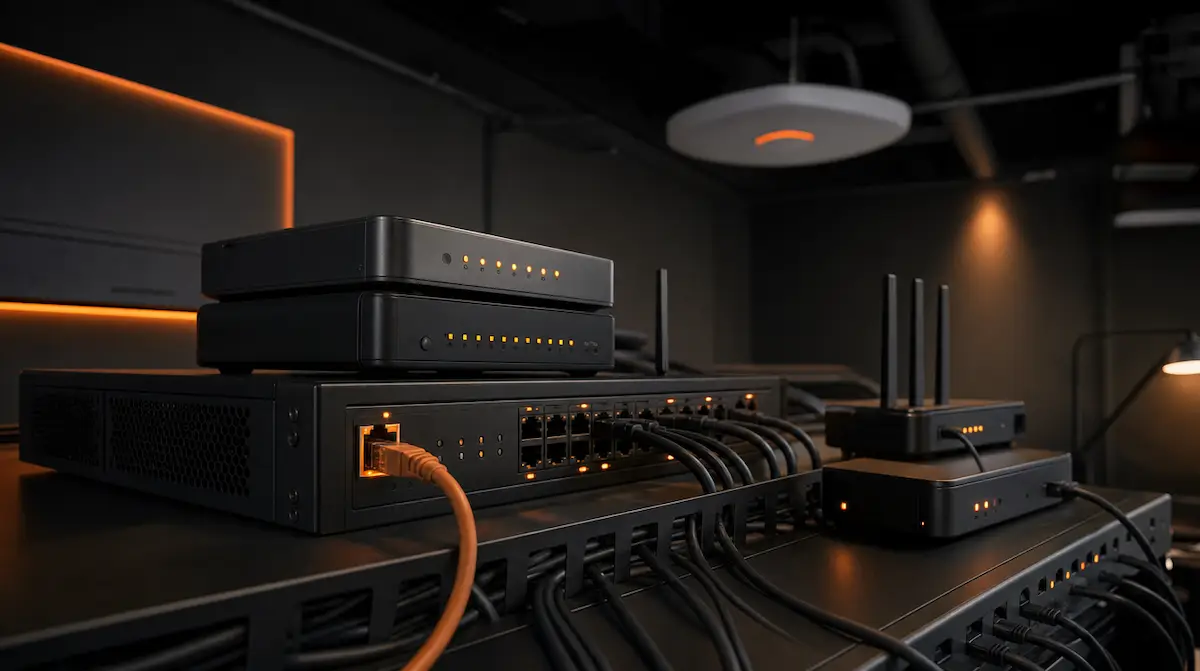
A hybrid event can have clear audio, polished cameras, strong presenters, and professional graphics, yet still create a poor remote experience if the internet connection is unstable.
That is why “the venue has Wi-Fi” is not enough information for a production plan.
Venue Wi-Fi may be completely appropriate for attendees checking email, accessing an event app, or joining a routine online meeting. A professionally produced hybrid event places different demands on the network.
The production system may need to send live video, presentation content, program audio, remote presenter feeds, and return communication for an extended period without interruption. That requires more than a connection that appears fast during a single test.
At Outta Time Productions, we treat internet access as part of the production system, not simply a venue amenity. The goal is not to assume that venue Wi-Fi will fail. The goal is to understand exactly what connection is being provided, test it properly, and build the hybrid workflow around what the venue can reliably support.
Venue Wi-Fi and Production Internet Are Not Always the Same Thing
When a hotel or conference venue says Wi-Fi is available, that may describe the guest network used by attendees throughout the property.
It does not necessarily tell the production team:
- whether a wired connection is available
- how much upload capacity is available
- whether the connection is shared with other users
- whether bandwidth can be reserved for the event
- what network restrictions are in place
- whether the connection has been tested from the production location
- who provides technical support during the event
- what happens if the primary connection is interrupted
Those details matter because a livestream or hybrid production is usually sending data out of the venue continuously.
A guest browsing a website can wait while a page reloads.
A live program cannot pause every time the network becomes busy.
Wi-Fi Is a Shared Resource
Wi-Fi does not provide every connected device with its own independent channel.
Devices using the same wireless environment compete for available airtime and network capacity. Performance can also be affected by distance from the access point, physical obstructions, radio interference, client density, and how the venue’s wireless network was designed.
That does not mean Wi-Fi is inherently unreliable.
A well-designed wireless network can support a large number of users and demanding applications. The issue is that the production team may have limited control over how many devices connect, what traffic they generate, or how conditions change once attendees enter the building.
A Wi-Fi connection that performs well in an empty ballroom may behave differently after hundreds of phones, tablets, laptops, event applications, and venue systems become active.
For a high-value hybrid program, predictability matters as much as speed.
Upload Capacity Is Critical
People often evaluate internet service based on download speed.
For hybrid events and livestreams, upload capacity is equally important and may be the more critical number.
The production encoder or meeting system is sending video and audio from the venue to a streaming platform, video-conferencing service, or remote audience. The required upload capacity depends on the platform, resolution, frame rate, number of transmitted feeds, and the overall production workflow.
A simple remote presenter contribution may require less capacity than a full program stream with multiple cameras and high-quality video.
The production team should determine the expected streaming bitrate and leave reasonable operating margin above that requirement.
Running a stream at the absolute limit of the available upload connection leaves little room for normal fluctuations or other network activity.
A Fast Speed Test Does Not Tell the Whole Story
A speed test is useful, but it is only a snapshot of the connection at one moment.
A hybrid production also depends on the quality and consistency of that connection over time.
The production team may need to consider:
- sustained upload capacity
- latency
- jitter
- packet loss
- connection stability
- firewall or proxy restrictions
- network congestion
- performance during expected event hours
Latency is the time it takes data to travel between points.
Jitter is variation in that delay.
Packet loss occurs when some of the transmitted data does not reach its destination.
Real-time platforms can adapt to changing network conditions, but significant instability may still result in frozen video, reduced image quality, delayed responses, audio problems, or dropped connections.
That is why network testing should involve the actual platform and production workflow whenever possible, not only a browser-based speed test.
A Wired Connection Is Usually the Better Primary Path
For professional streaming, a wired Ethernet connection is generally preferred over using Wi-Fi as the primary connection.
A wired handoff reduces the production system’s dependence on the wireless environment inside the room. It also gives the production team a more direct and controlled connection to the venue network.
However, “wired” and “dedicated” do not mean the same thing.
A wired connection may still share internet capacity with other venue users.
A dedicated connection may refer to reserved bandwidth, a separate production network, or simply a network intended for the event. Because venues and internet providers may use the term differently, planners should ask what is actually included.
Useful questions include:
- Is the production connection delivered through Ethernet?
- Is the bandwidth shared or reserved?
- What upload and download capacity is available?
- Is that capacity available for the entire event schedule?
- Will attendee traffic use the same connection?
- Can the connection be tested from the exact production position?
- Is onsite network support available?
- Are there additional charges for the wired handoff or reserved bandwidth?
The goal is to understand the service rather than rely on the label attached to it.
Keep Production Traffic Separate When Possible
A hybrid production should not have to compete with hundreds of attendee devices if the venue can provide a separate production connection.
A reserved or unshared network path gives the production team more control over the traffic using that connection. It also reduces the chance that attendee activity, a large file transfer, another event, or venue operations will consume the same available capacity.
Complete separation may not be available at every property.
In that case, the production partner can work with venue IT to understand how traffic is managed and whether sufficient bandwidth can be reserved during the program.
This is one reason the internet discussion should happen during preproduction instead of during load-in.
The venue may need time to configure the service, arrange a wired handoff, or coordinate with an outside internet provider.
Hybrid Meetings Create Two-Way Network Demands
Not every hybrid event is a one-way livestream.
Many programs include remote presenters, online questions, virtual panelists, remote moderators, or participants joining through platforms such as Zoom or Microsoft Teams.
That creates two-way network traffic.
The venue may be sending several video and audio feeds while also receiving remote speakers, presentation returns, confidence feeds, or audience interaction.
The production team needs to understand both sides of the connection.
A strong outbound stream does not automatically guarantee a smooth remote presenter experience. The return video and audio also need enough capacity and a stable path into the room.
This becomes especially important when remote participants are part of the main program rather than optional viewers.
As discussed in The Future of Hybrid Events: Better Audio, Better Cameras, Better Remote Experience, remote presenters should be treated as part of the show flow, not as an untested video call added at the last minute.
Network Restrictions Can Affect the Platform
Venues often use firewalls, proxies, security systems, login pages, and other network controls.
Those systems are important for protecting the venue network, but they may affect the way a streaming platform, encoder, or video-conferencing service communicates.
The production team should confirm that the intended platform can connect properly from the venue network.
This may require coordination between the production company, venue IT department, client IT team, and streaming platform.
The production company does not need to take control of the venue network.
It does need enough information and access to test the actual workflow before the event begins.
If the event involves a corporate network, restricted platform, VPN, or private viewing environment, that testing becomes even more important.
Test From the Exact Production Location
Testing internet from a hotel lobby or event office does not confirm how the connection will perform at the production table inside the ballroom.
The test should take place from the same location, network port, and equipment path the production team expects to use during the event.
Whenever practical, the team should test:
- the wired handoff
- the intended streaming or meeting platform
- the production encoder
- remote presenter connections
- audio and video transmission
- return feeds
- sustained upload performance
- backup connectivity
- communication with venue IT
Testing should also happen early enough that the venue can respond if the connection does not meet the production requirements.
Discovering a network limitation five minutes before the stream begins gives the team very few options.
Discovering it during a site visit, advance call, or scheduled technical test gives the planner time to adjust the service or workflow.
Test Again When the Room Is Active
A pre-event test is important, but network conditions can change.
The production team should confirm the connection again during setup and before the hybrid program begins.
That does not mean repeatedly running speed tests during the show.
It means verifying that the actual production system is connected, stable, and communicating with the platform before remote viewers or presenters depend on it.
A final test may include a private stream, remote technical check, or platform rehearsal.
The team should also monitor the connection during the event.
A hybrid program should not rely on the assumption that everything is working simply because the room looks and sounds correct.
Someone needs to monitor what the remote audience is receiving.
Build a Backup Connection Around the Risk
No internet connection can be guaranteed never to fail.
That is why the backup plan should be based on the importance of the event and the consequence of losing connectivity.
Possible backup approaches may include:
- a second venue internet circuit
- a separate wired connection
- a different internet service provider
- bonded connections
- cellular connectivity
- a backup streaming encoder
- a secondary meeting device
- local recording
- prerecorded emergency content
- an alternate remote-presenter path
The right backup depends on the venue and the event.
Cellular service may be useful in some locations but should still be tested. Signal strength, local network demand, building construction, and carrier coverage can all affect performance.
Bonded systems can combine multiple network connections and provide additional redundancy, but they are not a substitute for planning and testing.
The most important step is deciding what the event should do if the primary connection is interrupted.
Should the remote program continue through a backup path? Should the in-room event continue while the stream is restored? Should remote viewers receive holding content? Should the program record locally for later delivery?
Those decisions should be made before show day.
For more on contingency planning, see Why Backup Plans Are Part of Professional Event Production.
Local Recording Protects the Content
Even with a well-planned connection, the event should consider recording the program locally.
A local recording is not dependent on the remote viewer’s connection or the streaming platform’s final output. It can protect the event content if the live feed becomes interrupted or if a higher-quality version is needed later.
Depending on the production plan, the team may record:
- the final program feed
- isolated cameras
- presentation content
- separate audio tracks
- remote presenter feeds
- backup audio
The recording plan should reflect how the content will be used after the event.
A basic archive may need only the program feed.
A polished post-event edit may require additional camera and audio sources.
Not Every Event Needs a Dedicated Internet Package
Professional production does not mean ordering the most expensive internet package for every meeting.
A smaller hybrid program with one remote contributor may have different needs than a national livestream with multiple cameras, remote presenters, online audience interaction, and post-event distribution.
The connection should be sized for the actual workflow.
Venue Wi-Fi may be appropriate when:
- the program has low technical risk
- the wireless network has been tested
- the expected traffic is limited
- the platform can adapt to available bandwidth
- the venue can provide reliable technical support
- a backup path is available
A wired, reserved, or dedicated connection becomes more important as the audience, production complexity, business stakes, and cost of failure increase.
The goal is not to reject venue Wi-Fi automatically.
The goal is to avoid relying on it without understanding how it will perform under the conditions of the event.
A Production Partner Can Coordinate the Internet Plan
Planners should not have to become network engineers to produce a hybrid event.
A production partner can help translate the event requirements into practical questions for the venue.
That includes identifying the expected streaming workflow, estimating network needs, requesting the appropriate connection, coordinating technical tests, working with venue IT, planning remote presenter access, monitoring the stream, and developing a backup path.
At Outta Time Productions, we do not replace the venue’s IT team or internet provider.
We work with them.
Our role is to understand what the production needs, confirm what the venue can provide, and build a technical plan that connects the two.
From hybrid event production and satellite events to remote presenters, livestreams, recording, and post-event content, internet planning should begin before the equipment arrives in the room.
If your event depends on remote attendees, online speakers, or a live broadcast, contact Outta Time Productions before the venue internet package and production plan are finalized.
A strong Wi-Fi signal can connect a device. A professional internet plan protects the event built around it.